Soldering Iron GVDA GD300 Type-C 65W - Lab Soldering Tool
Overview
The GVDA GD300 Type-C 65W soldering iron is a temperature-controlled tool used to join electronic components with solder.
In embedded development it is used for:
- Soldering pin headers
- Repairing wires and connectors
- Assembling small modules
- Practicing reliable electrical joints
⚠ This tool gets very hot. Treat it as a precision heating tool, not as a general workshop tool.
Image
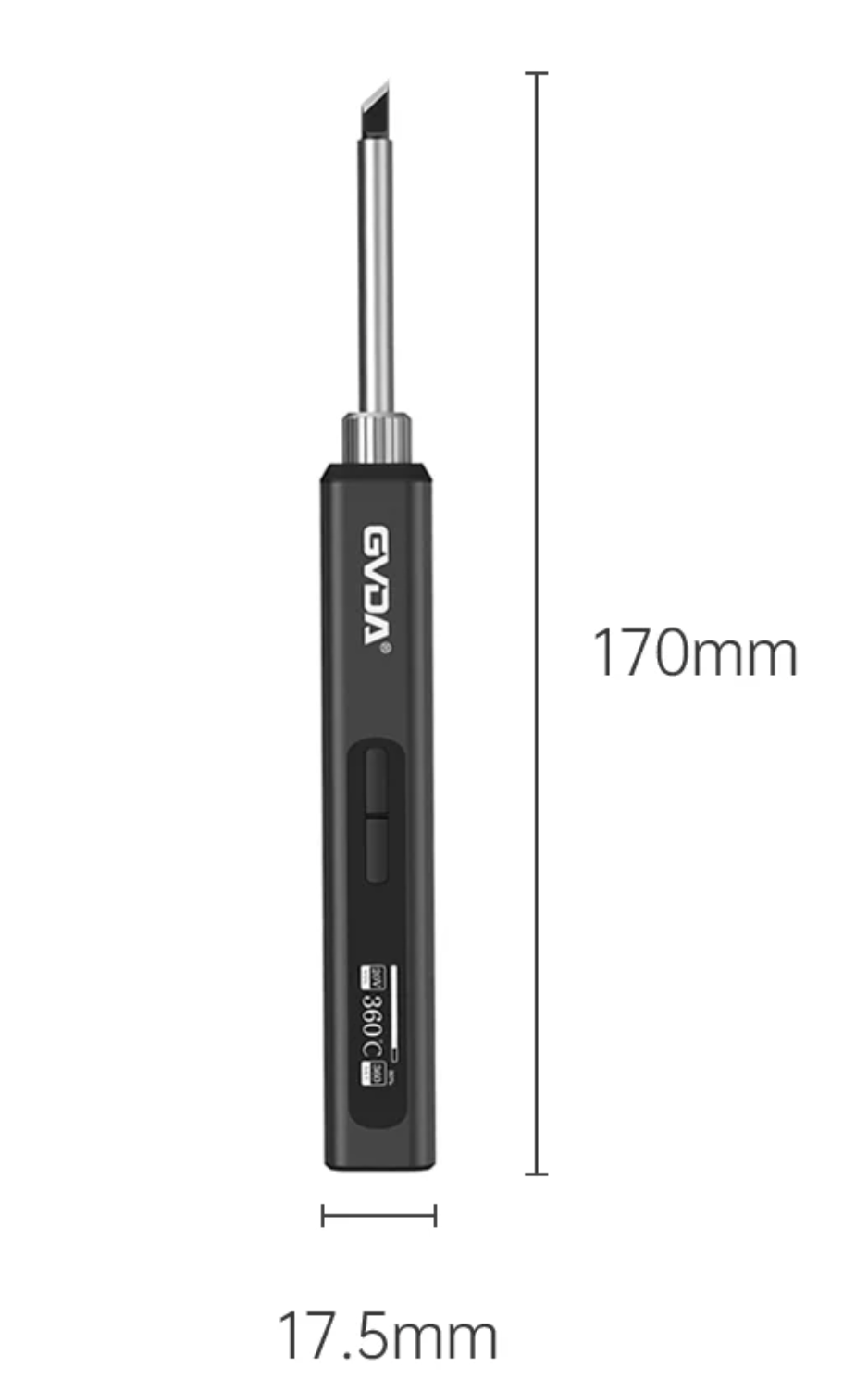
Key Specifications
- Model: GVDA GD300
- Power: 65W
- Power input: USB Type-C PD
- Temperature control: adjustable
- Typical soldering temperature: 300 - 350 degrees C
- Tip types used in this course:
- BC-2
- K
- Main use: electronics soldering and repair
What It Is Used For
The soldering iron is used to heat a pad, pin, or wire until solder can flow and create a solid electrical connection.
Common lab tasks:
- Solder headers to ESP32-S3 or STM32 modules
- Attach wires to sensors or connectors
- Repair weak solder joints
- Tin wire ends before connecting them
- Remove solder bridges with wick and flux
How to Use
- Place the iron in a stable stand.
- Connect a suitable USB-C PD power supply.
- Set the temperature to about 320 degrees C for normal Sn60Pb40 solder.
- Wait until the tip reaches temperature.
- Clean the tip on a cellulose or metal sponge.
- Add a small amount of fresh solder to the tip.
- Heat both the pad and component lead.
- Feed solder into the joint, not only onto the iron tip.
- Remove the solder first, then remove the iron.
- Let the joint cool without movement.
Good solder joints are shiny, smooth, and shaped like a small cone or fillet.
Tip Selection
BC-2 Tip
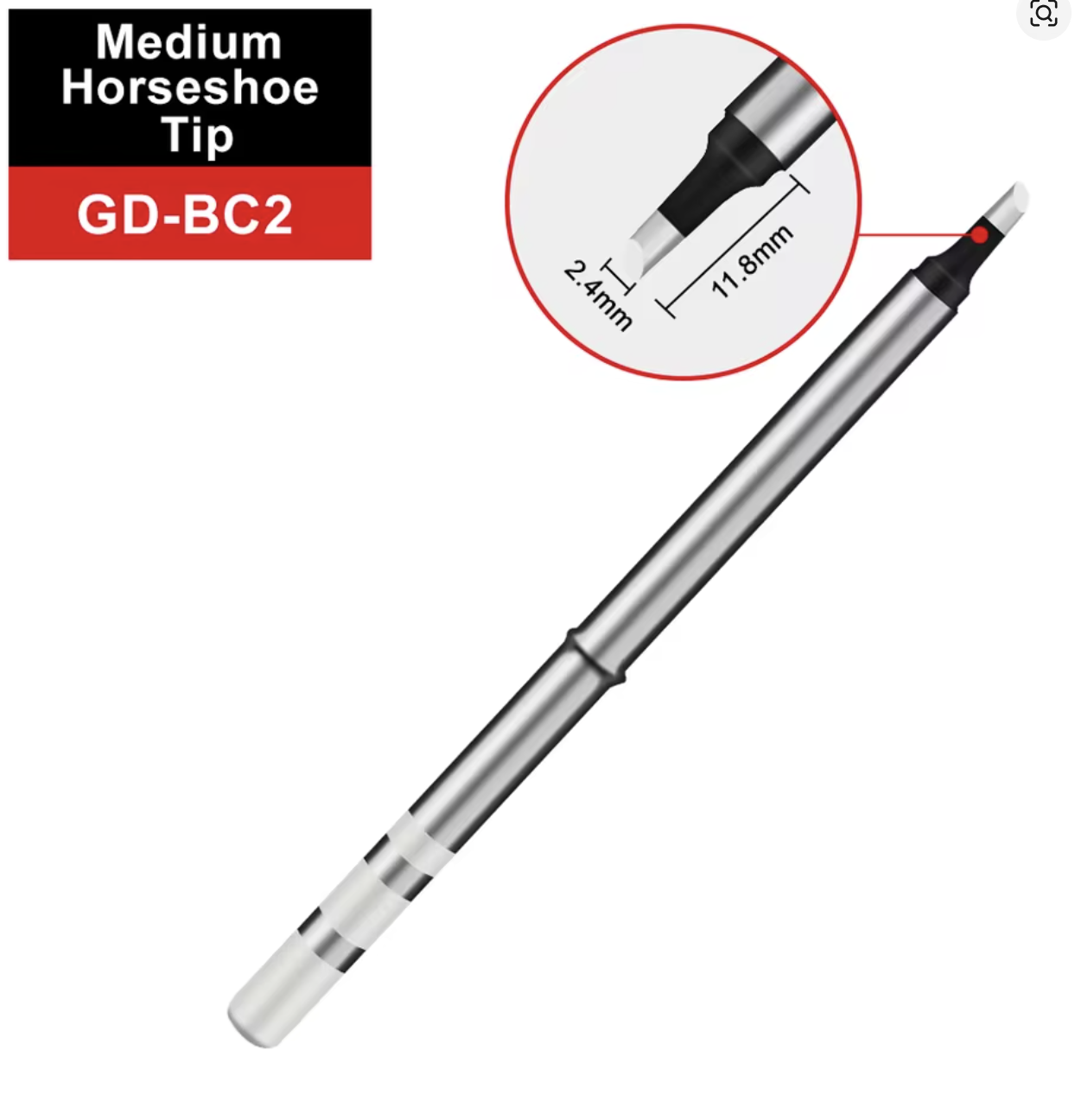
The BC-2 tip is useful for:
- Pin headers
- Through-hole components
- Medium pads
- General lab soldering
⚠ It transfers heat well because the contact area is larger than a very sharp conical tip.
K Tip
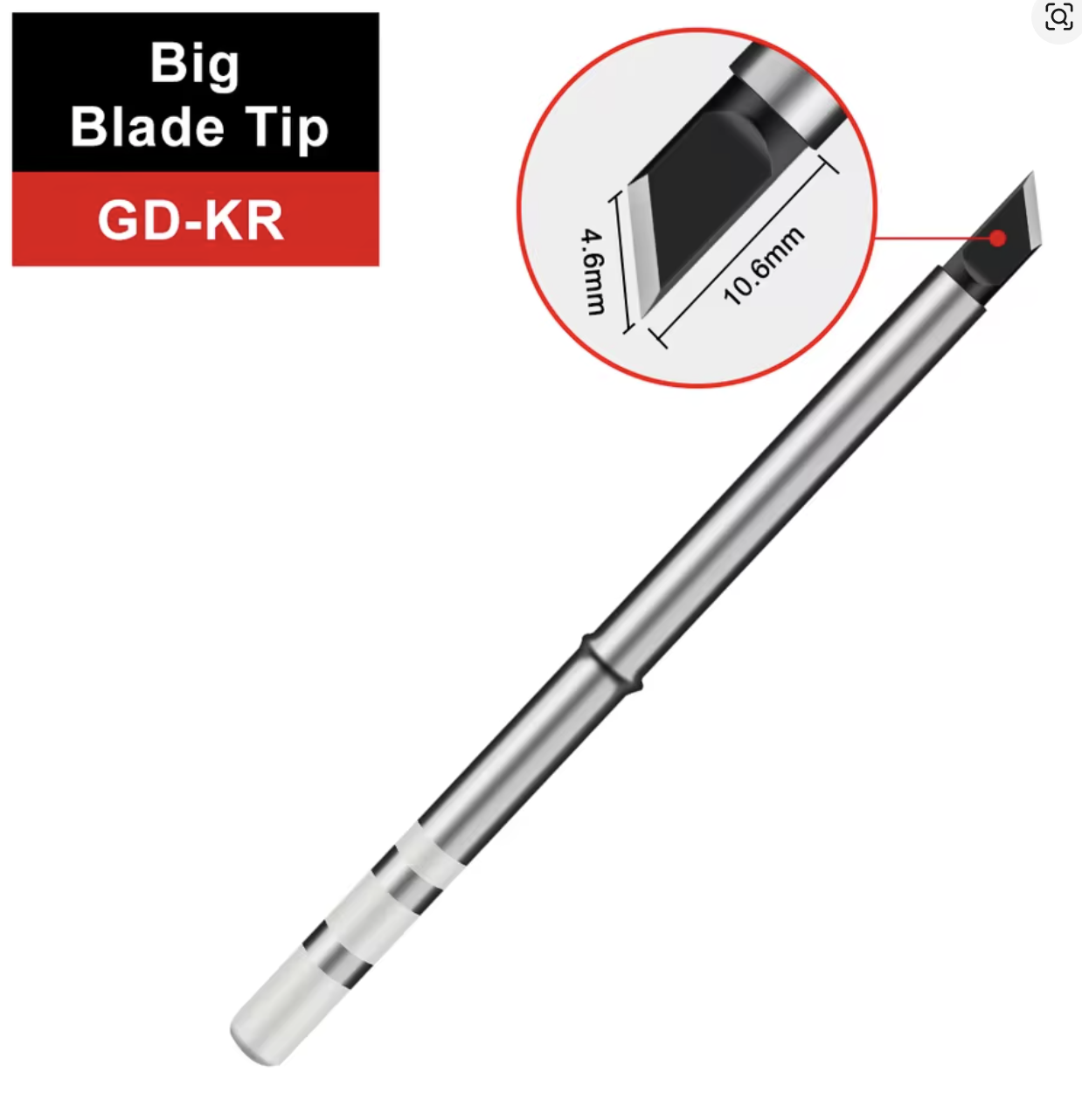
The K tip is useful for:
- Drag soldering
- Cleaning solder bridges
- Larger pads
- Work where more heat transfer is needed
⚠ Use it carefully around small SMD parts because it can heat nearby pads quickly.
Important Notes / Safety
- The tip can exceed 350 degrees C and can burn skin immediately.
- Always return the iron to its stand when not in use.
- Do not touch the metal tip or heater area.
- Keep the cable away from the hot tip.
- Use ventilation when soldering.
- Do not leave the iron powered unattended.
- Do not scrape the tip aggressively; it can damage the plating.
- Keep the tip lightly tinned when storing the iron.
- ⚠ Wash hands with soap after soldering, especially when using leaded solder.
Typical Use in This Course
- Soldering pin headers to modules
- Preparing jumper wires
- Repairing loose connections
- Practicing clean solder joints
- Learning basic PCB handling
Common Student Mistakes
- Using too low temperature and heating the joint for too long
- Using too high temperature and damaging pads
- Melting solder only on the tip instead of heating the joint
- Forgetting to clean and tin the tip
- Pressing hard on pads
- Moving the joint before solder solidifies
- Leaving the iron on the table instead of in the stand
Advantages
- Portable USB-C powered tool
- Adjustable temperature
- Enough power for typical course soldering
- Works with different tip shapes
- Good for both assembly and repair
Limitations
- Needs a suitable USB-C PD power supply
- Not ideal for large thermal masses
- Tip care is required
- Can damage components if used incorrectly
- Requires ventilation and safe handling
Summary
The GVDA GD300 soldering iron is the main soldering tool for the lab:
- Use about 300 - 350 degrees C for normal soldering
- Choose BC-2 for general work and K for wider heat transfer
- Keep the tip clean and tinned
- Heat the joint, not just the solder
- Handle it carefully because the tip is dangerously hot